United States · Bank statement

Convert U.S. Bank Statement to Excel, CSV or QBO

Convert U.S. Bank Statement to Excel, CSV or QBO

U.S. Bank National Association, N.A. · Member FDIC · Official site

U.S. Bank National Association, N.A. · Member FDIC · Official site

Turn your U.S. Bank PDF statement into Excel, CSV, or QBO in seconds with Docubrew. Built for US bookkeepers and accountants who are done re-keying transactions by hand. No broken columns, no manual cleanup.

Turn your U.S. Bank PDF statement into Excel, CSV, or QBO in seconds with Docubrew. Built for US bookkeepers and accountants who are done re-keying transactions by hand. No broken columns, no manual cleanup.

Files never leave your computer

Rule-based parsing

Excel, CSV and QBO

No per-page limits on desktop

Upload Wells Fargo bank statement to Docubrew

Convert your U.S. Bank PDF

The Problem

Why bookkeepers keep a converter handy

Why bookkeepers keep a converter handy

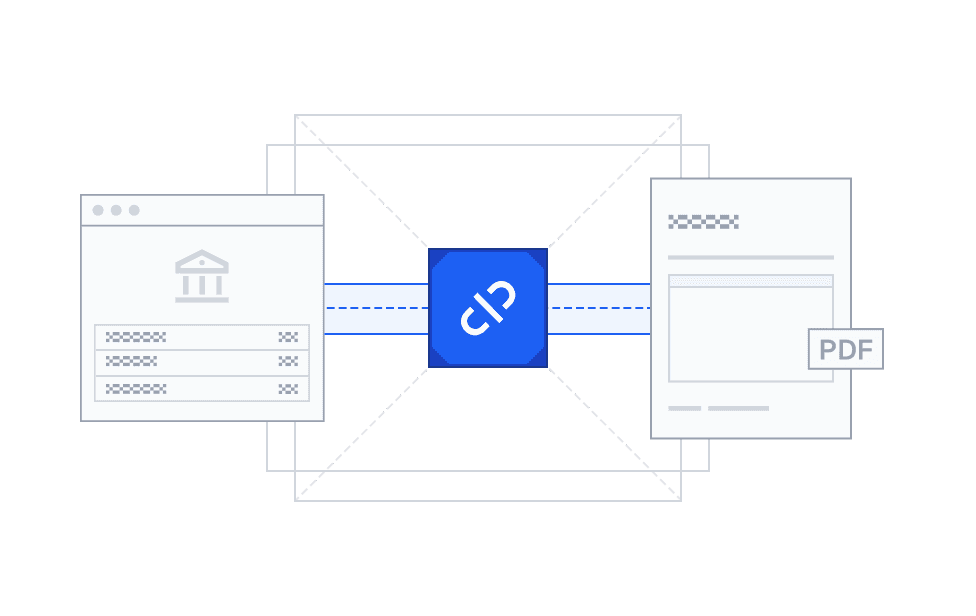
Bank feed sync failure illustration

The Feed Breaks, or Misses Things

You're closing a client on Friday and the U.S. Bank feed stops syncing, or it drops a pending charge that posted later at a different amount. The PDF is the actual record. The feed is only an approximation.
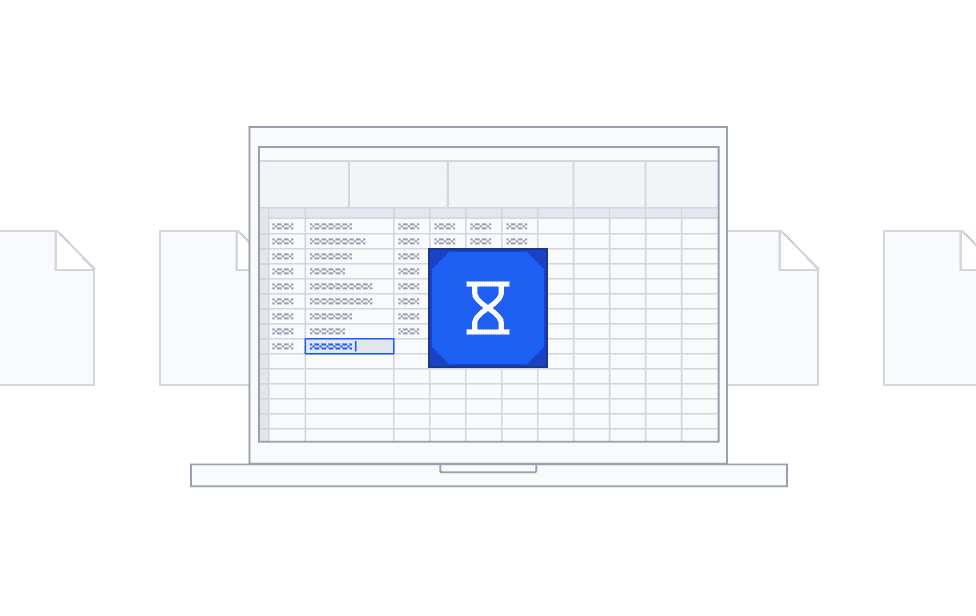
Manual transaction entry illustration

Still Typing Transactions by Hand?

A client hands over a year of U.S. Bank PDFs and you start re-keying into a spreadsheet. It takes hours, and one missed digit throws off the whole reconciliation. Most tools that fix this make you upload sensitive client data to someone else's servers. You shouldn't have to choose between speed and where your clients' data ends up.

How it works

Convert a U.S. Bank statement to Excel, CSV or QBO in three steps

Convert a U.S. Bank statement to Excel, CSV or QBO in three steps

Docubrew turns a U.S. Bank PDF into clean, structured data in three steps.

Docubrew turns a U.S. Bank PDF into clean, structured data in three steps.

1

Uploading a Wells Fargo PDF statement to Docubrew

Upload your U.S. Bank PDF

Drag in a single monthly statement, or batch several at once.

1

Uploading a Wells Fargo PDF statement to Docubrew

Upload your U.S. Bank PDF

Drag in a single monthly statement, or batch several at once.

2

Selecting pages from a Wells Fargo statement

Select the Pages You Need (Optional)

Preview every page and pick only the ones with transactions. Skip cover pages, disclosures, and summaries so you only export the data that matters.

2

Selecting pages from a Wells Fargo statement

Select the Pages You Need (Optional)

Preview every page and pick only the ones with transactions. Skip cover pages, disclosures, and summaries so you only export the data that matters.

3

Downloading the converted CSV file

Download in the format you need

Get an Excel workbook, a CSV or a QBO file with debits and credits in their own columns and wrapped descriptions reassembled. A preview step lets you check the rows before anything reaches your books.

3

Downloading the converted CSV file

Download in the format you need

Get an Excel workbook, a CSV or a QBO file with debits and credits in their own columns and wrapped descriptions reassembled. A preview step lets you check the rows before anything reaches your books.

U.S. Bank format

From a U.S. Bank PDF to clean Excel, CSV or QBO file

U.S. Bank statements are built to be read by people, not parsed by software, which is exactly why copy-paste falls apart. Docubrew is built around the U.S. Bank layout so the data lands clean.

US-Bank-Checking.pdf

Synthetic example of a Wells Fargo bank statement in PDF format

This is an example bank statement with no real data.

US-Bank-Checking.csv

Date,Description of Transaction,Ref Number,Amount
Apr 15,Deposit from Employer ABC Industries,,4195.67
Apr 16,Zelle Transfer to Marcus Lee Ref # f9KpL2mN8r3,120.00,4075.67
Apr 17,Shell Oil 574328 Houston TX,48.76,4026.91
Apr 18,Kroger #841 Birmingham AL,67.23,3959.68
Apr 18,Starbucks Store 03245 Birmingham AL,6.15,3953.53
Apr 19,Online Transfer from Savings Ref # OT19A2K7,500.00,4453.53
Apr 20,Netflix.com 866-579-7172 CA,15.49,4438.04
Apr 20,Spotify USA New York NY,10.99,4427.05

01

Trailing minus signs on withdrawals

U.S. Bank prints negatives with the sign after the number, as 312.48-, not -312.48. Excel reads that as text, not a number, so a naive copy-paste leaves the column unusable for arithmetic.

01

Trailing minus signs on withdrawals

U.S. Bank prints negatives with the sign after the number, as 312.48-, not -312.48. Excel reads that as text, not a number, so a naive copy-paste leaves the column unusable for arithmetic.

02

Section-grouped, with no running balance

Activity splits into Deposits/Credits, Card Withdrawals, Other Withdrawals, and Checks, each with its own total. No transaction row carries a balance; the sign is implied by the section.

02

Section-grouped, with no running balance

Activity splits into Deposits/Credits, Card Withdrawals, Other Withdrawals, and Checks, each with its own total. No transaction row carries a balance; the sign is implied by the section.

03

Card withdrawals grouped by card number

Card purchases sit under a masked Card Number: xxxx-xxxx-xxxx-4613 sub-header with its own subtotal. Accounts with two cards repeat the whole block, subtotal and all.

03

Card withdrawals grouped by card number

Card purchases sit under a masked Card Number: xxxx-xxxx-xxxx-4613 sub-header with its own subtotal. Accounts with two cards repeat the whole block, subtotal and all.

04

Balance Summary grid at the end

Statements close with a Balance Summary: a three-column Date and Ending Balance grid read across, not a transaction list. Balances appear only on days the balance actually changed.

04

Balance Summary grid at the end

Statements close with a Balance Summary: a three-column Date and Ending Balance grid read across, not a transaction list. Balances appear only on days the balance actually changed.

05

Descriptions stacked into blocks

One entry stacks a REF= line under the transaction type and a To or From counterparty beside it, so a single transaction occupies a small block of four cells rather than one row.

05

Descriptions stacked into blocks

One entry stacks a REF= line under the transaction type and a To or From counterparty beside it, so a single transaction occupies a small block of four cells rather than one row.

06

Two-column deposit grids on business statements

Platinum Business Checking lists Customer Deposits as two side-by-side Number/Date/Ref/Amount blocks. The rows read across the pair, then down, which flattens into glibberish.

06

Two-column deposit grids on business statements

Platinum Business Checking lists Customer Deposits as two side-by-side Number/Date/Ref/Amount blocks. The rows read across the pair, then down, which flattens into glibberish.

U.S. Bank Facts

Date format

Mostly MMM D with no year (Apr 03, Dec 01); some statements use MM/DD/YY. The year appears only in the statement period header

Statement retention

Up to 7 years of e-statements viewable in digital banking

Native export

Statements download as PDF; the separate transaction download stops at 18 months

Accounts

U.S. Bank accounts we support

U.S. Bank accounts we support

Docubrew has pre-built support for U.S. Bank's main deposit-account types.

Docubrew has pre-built support for U.S. Bank's main deposit-account types.

Personal checking and savings columns

U.S. Bank Smartly Checking

Silver Checking

Easy Checking

Business accounts

Platinum Business Checking

Output

What you get: a clean,
structured data in three formats

  • PDF

    PDF

    PDF

  • CSV

    CSV

    CSV

  • CSV

    CSV

    CSV

Docubrew exports an Excel workbook (.xlsx), a CSV, or a QBO file with one row per transaction. Each row carries the fields you actually reconcile against.

Transaction date

Description / payee (reassembled when it wraps)

Amount (as it appears in the statement)

Running / ending balance (when present)

Ref number (when present)

Account number & statement period

One clean output, everywhere you need it

Take .xlsx if you want a workbook that opens straight into Excel, formatting intact. Take CSV for Google Sheets, Xero, FreshBooks, and most accounting software that accepts CSV bank transactions. Take QBO for the QuickBooks bank feed. Whichever you pick, it's a clean import, not a live connection, so you stay in control of what goes into the books.

Get your PDF

How to download your U.S. Bank statement as a PDF

1

Sign in

Sign in to U.S. Bank online banking at usbank.com (or the U.S. Bank Mobile App to view and download statements)


1

Sign in

Sign in to U.S. Bank online banking at usbank.com (or the U.S. Bank Mobile App to view and download statements)


2

Open Account

Open the account you need from your accounts overview.

2

Open Account

Open the account you need from your accounts overview.

3

Statements

Select Accounts, then choose Statements. In the mobile app, open the main menu and choose Statements & docs.


3

Statements

Select Accounts, then choose Statements. In the mobile app, open the main menu and choose Statements & docs.


4

Select Month

Pick the statement month you need. Up to 7 years of e-statements are available here.

4

Select Month

Pick the statement month you need. Up to 7 years of e-statements are available here.

5

Download & Convert

Download the statement as a PDF, then convert it with Docubrew.

5

Download & Convert

Download the statement as a PDF, then convert it with Docubrew.

U.S. Bank keeps up to 7 years of statements online, but the transaction download stops at 18 months. For anything older the bank points you to your statements, and those are PDFs, so a converter is the reliable way in.

Who it's for

Built for the people who live in bank statements

Wherever U.S. Bank PDFs pile up, Docubrew turns them into clean, sortable data.

Bookkeepers and firms onboarding a client's year of bank statement PDFs and reconciling faster

Bookkeepers & Firms

Onboard a client's year of U.S. Bank PDFs and reconcile in a fraction of the time.

Bookkeepers and firms onboarding a client's year of bank statement PDFs and reconciling faster

Bookkeepers & Firms

Onboard a client's year of U.S. Bank PDFs and reconcile in a fraction of the time.

Small business owners tracking cash flow from converted bank statement data

Small Business Owners

Clean transaction data for cash-flow tracking without manual entry.

Small business owners tracking cash flow from converted bank statement data

Small Business Owners

Clean transaction data for cash-flow tracking without manual entry.

Structured, sortable bank statement records for tax filing and deductions

Tax Preparation

Structured, sortable records for filing season and deductions.

Structured, sortable bank statement records for tax filing and deductions

Tax Preparation

Structured, sortable records for filing season and deductions.

PDF bank statements turned into analyzable data for year-end and audit support

Year-end & Audit Support

Turn formal PDF statements into analyzable data when native export won't reach back far enough.

PDF bank statements turned into analyzable data for year-end and audit support

Year-end & Audit Support

Turn formal PDF statements into analyzable data when native export won't reach back far enough.

Security shield illustration for Docubrew showing client bank statement data stays with the bookkeeper, not on external servers

Trust & Security

Your clients' data stays where it belongs, with you

Local desktop processing

Local Desktop Processing

With the desktop app, everything runs locally on your device. Your clients' bank data never leaves your network.

Secure cloud conversion

Secure Cloud Conversion

Choose the cloud and your files are encrypted on upload and automatically deleted within 24 hours. Nothing is kept after that.

Rule-based deterministic parsing

Same Input, Same Output

Docubrew uses rule-based parsing, so the same statement always produces the same result. No AI, no guesswork, and nothing sent to a model for training.

FAQ

Answers to your questions

How do I convert a U.S. Bank bank statement to Excel, CSV or QBO?

Upload your U.S. Bank PDF statement to Docubrew, let the rule-based parser extract every transaction, and download the result as an Excel workbook, a CSV, or a QBO file for QuickBooks. On the desktop app the entire process runs on your own computer, so your statement is never uploaded anywhere.

Does U.S. Bank let you download statements as Excel, CSV or QBO?

Not the official monthly statement. You can download recent transaction history lists in CSV and QBO for up to 18 months. For older U.S. Bank transactions, they are available in PDFs, so a converter app like Docubrew is the reliable way to get that data into Excel, CSV or QBO formats.

However, if you need formal monthly statements, in the "Statements & docs" section of your U.S. Bank Digital Banking account, you can download the monthly U.S. Bank statements in PDF format for up to seven years.

Does Docubrew handle U.S. Bank's trailing minus signs on withdrawals?

Yes. U.S. Bank prints withdrawal amounts with the minus sign after the number, as 312.48- rather than -312.48. Spreadsheets read that as text instead of a number, which breaks totals and formulas. Docubrew reads the trailing sign and writes a proper negative number into the Excel, CSV or QBO, so the amount column adds up the moment you open it.

How accurate is the conversion?

Docubrew is near-perfect on digital (text-layer) PDF bank statements, the kind you download straight from U.S. Bank's website. Every conversion ends with a preview step, so you can check the rows before you download. Nothing reaches your books unseen.

Can it convert scanned U.S. Bank statements?

Docubrew currently processes text-layer (native digital) PDF statements, the kind you download straight from U.S. Bank online banking. Scanned and image-based PDF support is on the near-term roadmap. If that is blocking your workflow, contact us at support@docubrew.com and we will let you know when it ships.

Do you convert U.S. Bank credit card statements?

Not yet. Docubrew currently handles U.S. Bank deposit-account statements, the checking and savings statements you download from U.S. Bank online banking. Credit card statement support is not available at launch. If you need it, contact us at support@docubrew.com so we can gauge demand.

Is it safe to convert my bank statement here?

Yes. The desktop app parses your file entirely on your own machine, so nothing is uploaded or stored. The cloud option encrypts every upload and deletes files automatically within 24 hours.

Does it work with QuickBooks and Xero?

Yes. For QuickBooks you can export a QBO file and upload it straight to the bank feed. For Xero, FreshBooks, and most other accounting software, the CSV imports directly. If you would rather work in a spreadsheet first, take the Excel workbook. Either way it is a clean import, not a live connection, so you stay in control of what goes into the books.

Can I convert several U.S. Bank statements at once?

Yes. Batch processing lets you upload dozens of statements in a single run and download each result as its own file. It is built for firms reconciling multiple clients each month, so you are not converting one PDF at a time.

How is this different from other bank statement converters?

Docubrew offers both a desktop app for local processing and an encrypted cloud option. Many converters are cloud-only, and others make you choose desktop or cloud up front. If you need control over where each client's data is processed, that per-job flexibility matters.

More Banks

Convert statements from other banks

Docubrew has pre-built support for the largest US banks, with a fallback parser for most other formats.

Isometric illustration showing Docubrew workflow with PDF bank statements being converted to CSV files

Your Bank Statement Workflow Is About to Get a Whole Lot Easier

Built for bookkeepers, export Excel workbook, CSV and QBO files in seconds.

Isometric illustration showing Docubrew workflow with PDF bank statements being converted to CSV files

Your Bank Statement Workflow Is About to Get a Whole Lot Easier

Built for bookkeepers, export Excel workbook, CSV and QBO files in seconds.

Isometric illustration showing Docubrew workflow with PDF bank statements being converted to CSV files

Your Bank Statement Workflow Is About to Get a Whole Lot Easier

Built for bookkeepers, export Excel workbook, CSV and QBO files in seconds.